Phone accessories
Choosing a Magnetic Wireless Charger: Phone, Case and Power
By Modexa · Published
Choose a magnetic wireless charger around your exact phone, case and power supply. Check included parts and each charging position before ordering.
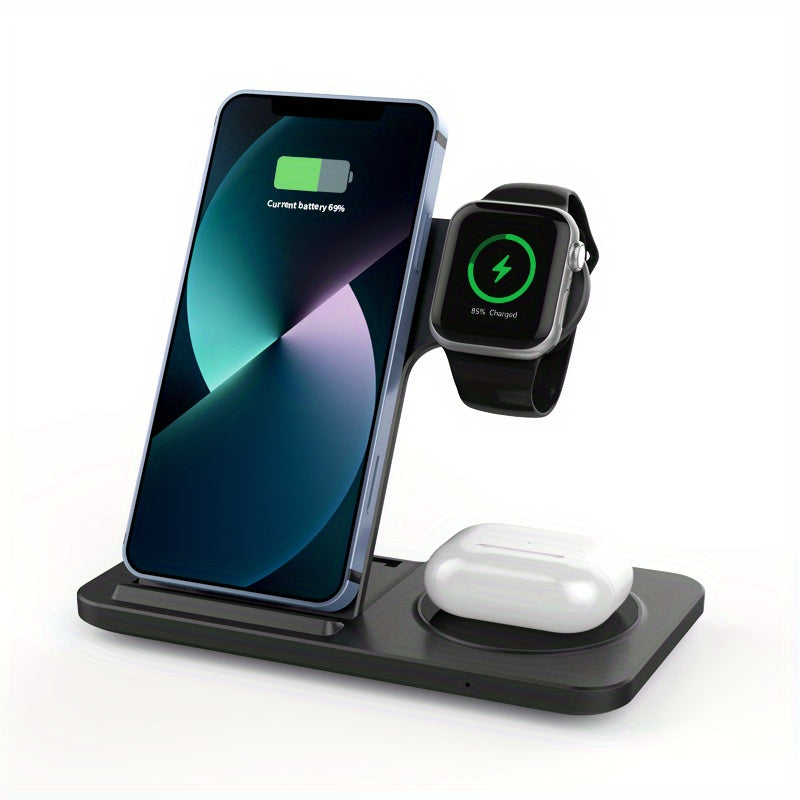
Start with the devices on your desk
A tidy charging stand is useful only if its charging positions match the devices you own. Write down the complete phone model, watch model and earbud charging-case model. A product described as three-in-one should be checked as three separate compatibility questions. On the listing, look for the supported device at each position, the included power supply and the parts you will need to provide. If a detail is missing, ask rather than assuming that an accessory brand name covers every generation.
Separate magnetic attachment from charging compatibility
A case attaching to a charger does not establish the charging performance of the complete setup. Check the phone manufacturer guidance and the charger listing together. Apple describes its own MagSafe charging requirements by charger and device model; those specifications should not be transferred automatically to an unrelated charger. Likewise, a third-party product description using magnetic compatibility language should not be treated as proof of Apple certification unless that certification is explicitly established.
Check the case you actually use
Read the case and charger instructions before deciding that you need a replacement. Apple advises removing sensitive items such as payment cards from between the phone and its MagSafe Charger. If your everyday setup includes a magnetic wallet, plan where it will go while charging. Photograph the case and its model information if you are asking about compatibility. Include any grip, ring or attached accessory in the question, because a product photograph of a bare phone does not represent your complete setup.
Check what powers the stand
Identify the charger input and the recommended adapter from its instructions. Ask whether that adapter and the connecting cable are included in the box. Apple publishes power-adapter recommendations for its own MagSafe Charger, but those numbers are not a universal specification for other charging stands. Compare the requirements for the exact item you are purchasing. If your desk already has a power adapter, check its labelled outputs against the charger instructions before deciding to reuse it.
Choose a layout you will use every day
Measure the space where the stand will sit and consider how you pick up the phone, see notifications and reach the cable. For a shared bedside table, work out which person uses each charging position. For a work desk, check whether you need the phone visible while a separate wallet or case accessory is removed. These simple habits matter more than choosing the most elaborate-looking stand. Confirm dimensions and adjustment options from the listing instead of inferring them from a promotional image.
Test each device before putting the packaging away
Follow the supplied instructions and confirm charging on each device separately, then check your normal combined arrangement. Keep the cable and adapter details with your order information in case you need support. The Modexa three-in-one listing is a starting point for comparing a multi-device setup, not a guarantee that every phone, watch and earbud case will work. Send the exact model names to Modexa if you need a missing compatibility detail confirmed before purchase.
Sources and product details
Explore the products
Review the three-in-one charging stand
Questions before ordering? Contact Modexa. Review our shipping policy and return policy.