Wearable technology
Choosing an Everyday Fitness Watch: Phone Setup, Fit and Useful Features
By Modexa
Meet Modexa’s black full-touch-screen fitness watch. Check Da Fit compatibility, notifications, included accessories and everyday comfort before choosing.
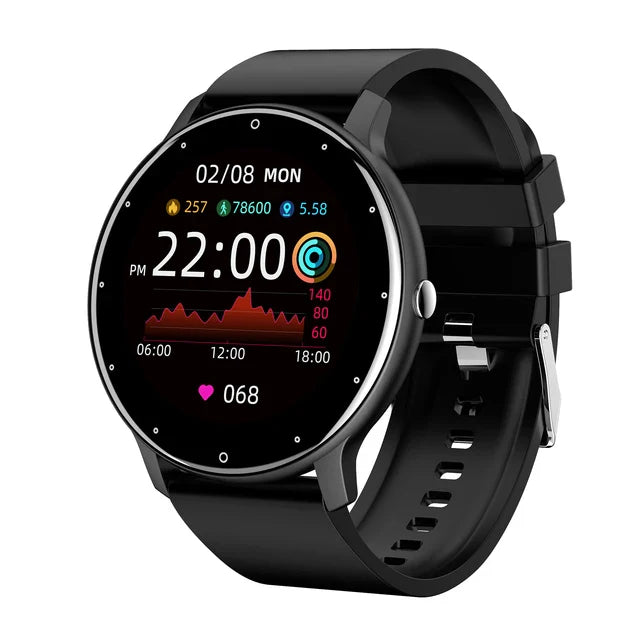
The black full-touch fitness watch listed at Modexa. App compatibility and available functions should be checked for your phone.
Start with the features that would make your day easier
A watch earns its place on your wrist when it helps with something you do regularly. You might want a quick glance at incoming-message notifications, a place to check your step count or a touch-screen display that is easy to navigate. Modexa’s black full-touch-screen fitness watch lists these everyday functions alongside activity and sleep-tracking features. Choose two or three priorities first so you can compare the watch with how you plan to use it.
Check the phone and app together
The published specifications identify Da Fit as the companion app and mention compatibility with Xiaomi, Huawei and other smartphones. That broad wording does not establish support for every phone or operating-system version. Check the app’s current requirements against your exact device and follow the watch instructions for pairing. If you cannot confirm the required app or operating-system support, ask Modexa before ordering so your first setup starts with the right information.
Distinguish notification alerts from answering calls
The listing describes incoming-call, text and app notifications. Seeing an alert on a watch is a different feature from speaking through the watch, replying to messages or using it without a nearby phone. Decide which of those functions matters to you and verify it explicitly. Once paired, choose the notifications you want to receive rather than enabling every app by default; a smaller selection can make wrist alerts more useful during a normal day.
Look beyond the colour when checking fit
The listed watch dimensions are 4.55 cm by 5.02 cm. Those measurements help you picture the watch body, but they do not tell you the minimum and maximum wrist size. Check the strap measurements and how the fastening adjusts, especially if you prefer a close fit or plan to wear the watch beneath a sleeve. Also compare the display photos with the way you expect to read and navigate the touch screen.
Read the limits behind the IP68 label
The product title and specifications include an IP68 rating. Before using the watch around water, check the instructions for the exact model’s permitted depth, duration and activities. A rating in a title does not by itself confirm suitability for swimming, hot showers or every water-related activity. Ask for the model guidance if those limits are missing, and follow its charging and drying instructions rather than assuming all watches with a similar rating are used the same way.
Know what comes in the box and what still needs checking
The listing names the smart watch, charging cable, bracelet and user manual as included items. Check whether you also need a compatible USB power adapter and ask about the expected battery life and charging time, which are not established in the supplied specifications. Tracking features in this guide describe the listing rather than an independent accuracy test. Compare the current product details, shipping and return terms before choosing the watch for your routine.
Check the manufacturer guidance
Explore the products
View the black full-touch fitness watch
Questions before ordering? Contact Modexa. Review our shipping policy and return policy.