Phone cases
How to Choose a Phone Case: Fit, Features and Style
By Modexa
Find a phone case that matches your exact device. Check camera openings, materials, charging compatibility and the design before buying.
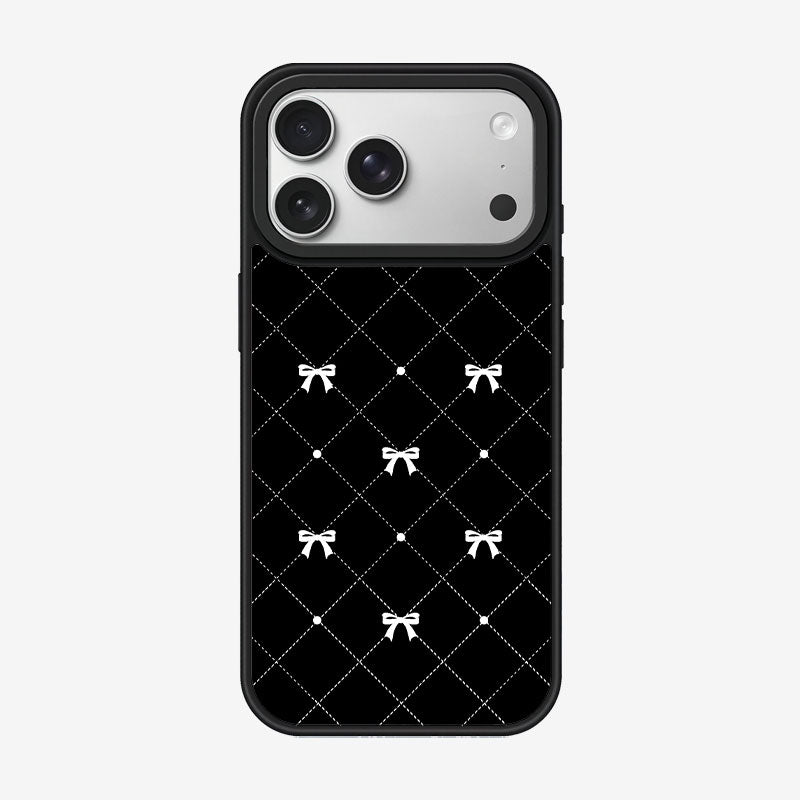
Find your exact phone model first
Check the model name in your phone settings before selecting a case. Similar names can refer to different sizes, button positions and camera layouts. The picture may illustrate one model while the product offers several options. Choose the correct variation and read the compatibility information instead of ordering solely because the pictured phone looks familiar.
Look at the openings and everyday access
Review photos for the camera opening, charging port and button covers. Think about how you normally use your phone, including any cables or accessories with larger connectors. A fitted case should be chosen for the actual device. If the listing does not make the model or layout clear, ask for clarification before placing an order.
Compare material and protection claims
Read the product description for the case material, finish and protection features. A slim cover, flexible bumper and reinforced design can serve different preferences, but appearance alone does not establish a protection rating. Check any specific testing claims in the listing. No case should be treated as a promise that a phone cannot be damaged.
Check charging and accessory compatibility
If you use a wireless charger, magnetic accessory or phone mount, verify compatibility for the selected case and device. A magnetic ring shown in a photo does not describe every possible accessory arrangement. Check the stated features and any limitations. Consider the extra thickness when using a fitted holder, and ask about unclear details before buying.
Choose a design you will enjoy carrying
Patterns, colours and decorative artwork can make an everyday accessory feel more personal. Look through the gallery to judge the design from different angles. Screen colours may differ from the physical product. For a personalised case, keep important artwork away from camera openings and check the preview carefully before confirming the design.
Use a short pre-order checklist
Confirm your device, selected model option, material, intended accessories and listed price. Review shipping and return information, especially when ordering a personalised product. Keep the product details available for reference. A quick fit check is more useful than choosing by the design alone, and can help you avoid ordering a case for a similar but different phone.
Questions before ordering? Contact Modexa. Review our shipping policy and return policy.