Laptop accessories
MacBook Keyboard Covers: How to Check Model and Keyboard Layout
By Modexa
Check your MacBook model, keyboard layout and key shapes before choosing a silicone keyboard cover. Avoid a cover that fits the name but not the keys.
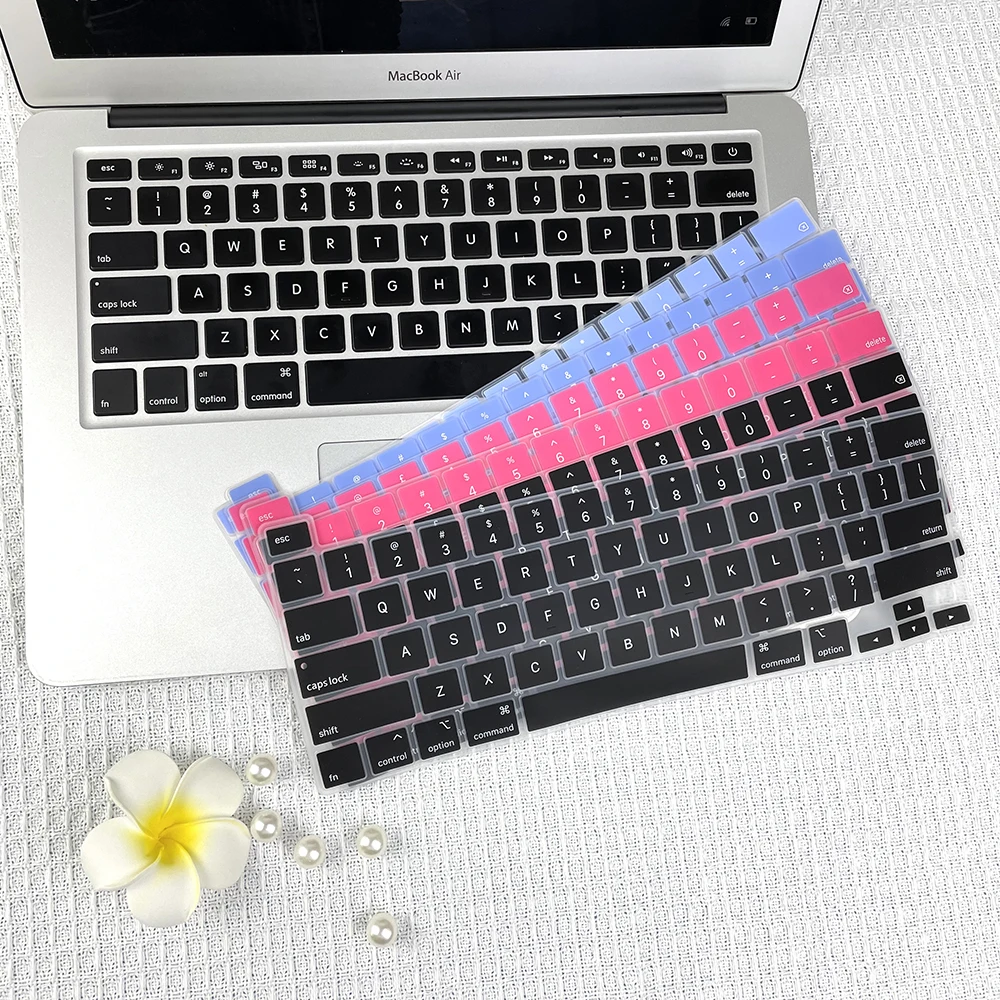
Product example from the Modexa collection. Check the listing for current options and compatibility.
Start with the exact MacBook model
A keyboard cover should match the physical keyboard, not just the words MacBook Air or MacBook Pro. Record your model name, year and screen size from the device information, then compare the listing’s compatibility details. Similar-looking laptops can have different key arrangements. If the listing does not identify your model clearly, ask before ordering.
Compare the actual key layout
Look at the Return key, left Shift key and the keys beside them. Regional keyboards can differ in these areas, so a cover advertised for a US layout may not align with a different layout. Compare a clear photo of your keyboard with the selected product option. A language printed on a cover does not, by itself, confirm its physical fit.
Check the top row and fingerprint sensor
Compare the function-key row and any fingerprint sensor or other controls with the product photos. A cover should not obstruct a control you need to use. Do not assume that a cover for an older MacBook fits a newer model with the same screen size. Ask for a matching-model confirmation when the listing combines several generations.
Think about everyday typing
A silicone cover adds a layer between your fingers and the keys, which changes the typing feel. Consider whether clear legends, a particular language or protecting the keys from everyday surface dirt matters most to you. Do not treat a keyboard cover as waterproofing for the laptop, and keep drinks away from the computer.
Check instructions before closing the laptop
Follow your computer manufacturer’s guidance about keyboard covers and clearance between the keyboard and display. Do not force the lid closed or leave an accessory in place when the manufacturer says to remove it. Check the cover’s care instructions, and allow it to dry fully before putting it back on the keyboard.
Your pre-order checklist
Confirm the laptop model, regional layout, top-row shape and selected variation. Modexa’s shop includes a MacBook silicone keyboard cover with EU or US layout options; use the current product details to check your own model. Contact Modexa if the photos and compatibility text leave any uncertainty. Review shipping and return terms before checkout.
View the MacBook keyboard cover
Questions before ordering? Contact Modexa. Review our shipping policy and return policy.