Computer accessories
An i8 Mini Keyboard for Your TV Setup: What to Check Before Buying
By Modexa
Considering a handheld keyboard for an Android TV box? Check the receiver, text entry, touchpad controls and charging arrangements before choosing.
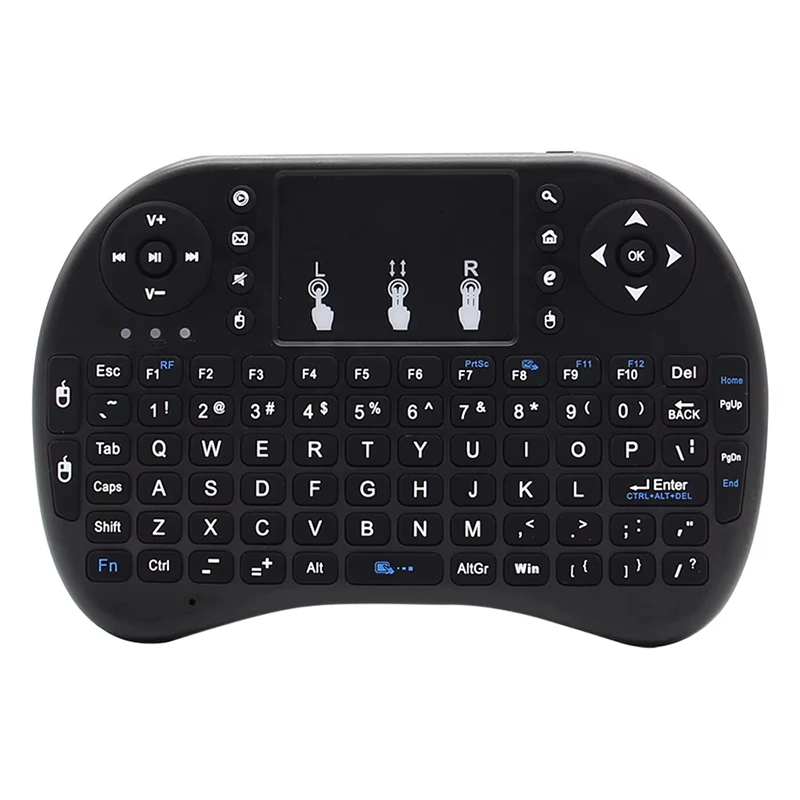
Product image from the Modexa catalogue. Confirm the selected variant and included accessories on the current listing.
Think about the typing your remote makes awkward
Entering a search phrase or a long account name with an on-screen keyboard can take patience. A mini keyboard is worth considering when you regularly type from a sofa or control a small media setup. Start by listing the tasks you want to make easier. The Modexa catalogue includes an i8 wireless mini keyboard described with backlighting and a touchpad for an Android TV box. Use that as a starting point for checking your exact equipment, rather than assuming every television accepts the same accessory.
Identify the device that needs the connection
Your screen may be displaying an app from the television itself, a separate streaming box or a connected computer. Identify which device is actually running the app you want to control. Check that device's accessory guidance and available connections. A keyboard connected to one piece of equipment should not be assumed to control every other device attached to the television. Write down the model name before asking about compatibility so the answer can address your particular setup.
Confirm how the wireless connection works
Wireless does not automatically mean Bluetooth. Check whether the selected keyboard uses a USB receiver, Bluetooth or another connection method, and confirm which receiver or adapter is supplied. If a receiver is required, make sure the target device has a suitable available port. Consider where the receiver will sit after installation and follow the accessory instructions for placement. Ask about the exact variant if the photos or description show several options; do not order around a connection detail that has not been established.
Check typing and pointer control separately
A keyboard being recognised does not establish that every app supports pointer control or every shortcut. Think about whether you need to enter searches, navigate menus or move a cursor, and check support for those tasks on the target device. Review the key layout and any function combinations shown in the instructions. A handheld layout is different from a desk keyboard, so consider how often you expect to type and whether smaller keys suit that amount of use.
Plan power and everyday storage
Confirm the power arrangement for the selected model, including whether batteries, a charging cable or a power adapter are supplied. Check the instructions for charging and the controls for any backlight. Do not infer battery life from product photos or a similar-looking keyboard. Choose a convenient storage spot near your seating position so the keyboard and any removable accessories are easy to find. Keep the setup instructions with your order details for the next time you change the connected equipment.
Make a short compatibility checklist before checkout
Before ordering, confirm the exact keyboard variant, connection method, target-device support, key layout and included items. If a particular app is the reason for the purchase, ask about that use rather than only naming the television brand. This guide is a setup checklist, not a hands-on performance review. Open the current i8 product page for the available options, delivery information and purchase terms, and contact Modexa with any missing compatibility detail before choosing your accessory.
Explore the products
View the i8 wireless mini keyboard
Questions before ordering? Contact Modexa. Review our shipping policy and return policy.