Car accessories
Car FM Transmitter and USB Charger: Setup Guide
By Modexa · Published
Explore Modexa's MAXCOOL car FM transmitter and USB charger. Check socket voltage, radio compatibility, charging ports and music sources before choosing.
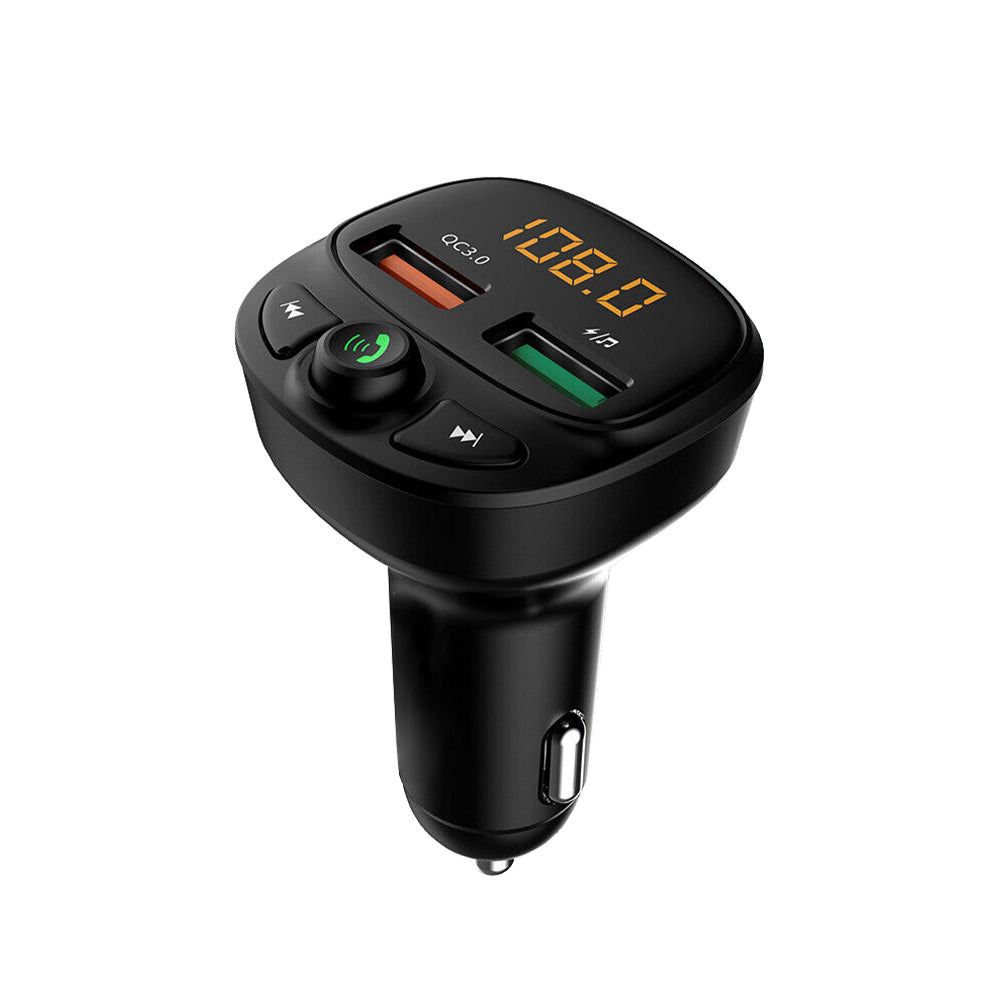
The listing describes two USB ports, Bluetooth 5.0 and a 12–24 V working-voltage range.
Check the audio connection your car already has
An FM transmitter is worth comparing when you want to play phone audio through an existing car radio. Modexa's MAXCOOL car phone charger and FM transmitter lists Bluetooth connectivity alongside USB charging and music playback features. First check whether your car already offers the connection you need. If you are considering the transmitter, confirm that its FM operation and frequency range match your radio before planning the rest of the setup.
Check the power socket and physical clearance
The published working-voltage range is 12 to 24 V. Compare that with your vehicle's accessory-socket specification and check the device instructions before use. Look at the space around the socket: a gear selector, storage lid or another cable may affect access to the controls. Request dimensions if the fit is tight. Decide where charging cables will run without interfering with normal controls, and complete the initial setup while the vehicle is parked.
Identify the charging and music ports
The description lists two USB ports and identifies a music-marked port for reading USB storage. It also gives QC 3.0 output figures, while a separate specification summarises USB output as 5 V. Ask which port supports which output and whether the figures apply when both ports are used. A phone's supported protocol and your cable affect the setup, so a compatible plug alone does not establish a particular charging speed.
Choose a music source and verify its requirements
Bluetooth 5.0, USB storage and TF-card support appear in the listing, with a stated storage limit of 64 GB. Check supported file formats, storage formatting and playback controls if you intend to use a memory card or flash drive. The catalog contains different distance figures for transmission and connectivity, so do not treat either as a guaranteed performance range. Confirm the pairing and tuning procedure for the exact unit and test your intended source before a longer trip.
Finish the setup before your first journey
With the vehicle safely parked, follow the supplied instructions to connect power, pair the phone and tune the transmitter and radio. Test volume and your chosen audio source, then check that cables and controls remain easy to reach. The listing mentions an initial voltage display; that is a display feature rather than proof of a battery-health diagnosis. Review current specifications and included items on the product page, and ask about any unresolved port or radio details before ordering.
Sources and product details
Explore the products
View the MAXCOOL car FM transmitter
Questions before ordering? Contact Modexa. Review our shipping policy and return policy.